
Kindle reading tips for seniors is another 65 Plus Life step-by-step guide. Since I find these types of guides the most helpful for me, I hope they will be as helpful to you.
Affiliate Disclosure
Amazon + Wealthy Affiliate + Friends
You will never find any affiliate links in any of my step-by-step guides on any of my websites, I feel that my guides are to educate you, not push products & services at you.
Affiliate Disclosure: Some of the links on this website may be affiliate links. This means that if you click a link and make a purchase, I may earn a small commission at no extra cost to you. These commissions help support 65 Plus Life and Boomer Biz HQ so I can continue creating free resources for older adults.
Amazon Disclosure: As an Amazon Associate, I earn from qualifying purchases. Any Amazon links used throughout this website may earn a commission when you purchase through them.
Wealthy Affiliate Disclosure: I am also a proud affiliate of Wealthy Affiliate. If you choose to join their platform through my referral link, I may earn a commission. I only recommend Wealthy Affiliate because it has personally helped me build websites and create income online, and I believe it can help other older adults learn these skills too.
Thank you for supporting my work — it truly means a lot
Jeff/ 65 Plus Life
Hobbies For Older Adults
Kindle Reading Tips for Seniors
A simple, stress-free guide to enjoying books comfortably at any age
Reading has always been one of life’s great pleasures—and thanks to Kindle, it’s now easier than ever for seniors to enjoy books without heavy hardcovers, tiny print, or cluttered shelves. Whether you’re brand new to Kindle or have been using one for years, a few simple tips can make reading more comfortable, relaxing, and enjoyable.
This guide is written especially for adults 65+, with a focus on comfort, simplicity, and confidence.
Why Kindle Is a Great Reading Option for Seniors
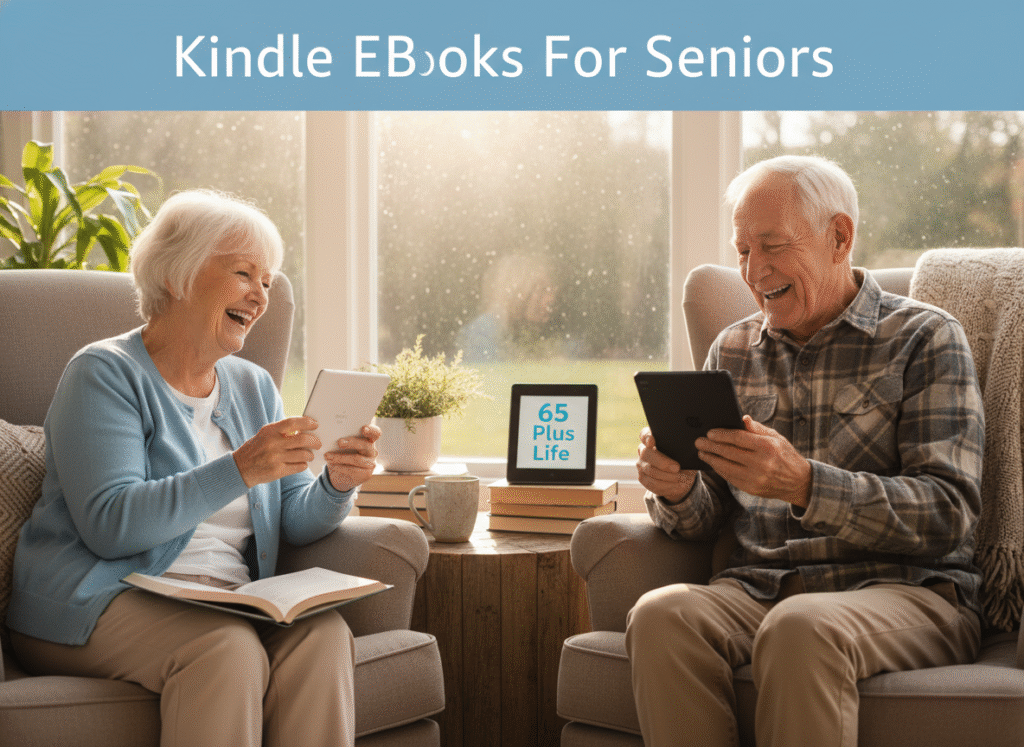
Many seniors discover that Kindle actually removes common reading frustrations:
- No heavy books to hold
- Adjustable text size for aging eyes
- Built-in lighting for low-light reading
- Thousands of books in one lightweight device
- Easy access to large-print and audiobooks
You don’t need to be “tech-savvy” to enjoy Kindle—just a willingness to try something new at your own pace.
Tip #1: Make the Text Bigger (And Easier on Your Eyes)
One of Kindle’s best features is adjustable text.
How to do it:
- Tap the “Aa” icon while reading
- Increase font size until it feels comfortable
- Try different fonts (many seniors like Bookerly or OpenDyslexic)
Jeffs Reading tip: Bigger text doesn’t mean fewer books—it just means less eye strain.
Tip #2: Adjust Brightness & Use Dark Mode at Night
Eye comfort matters, especially for seniors.
- Increase brightness in daylight
- Lower brightness in the evening
- Try Dark Mode (light text on dark background) for night reading
- Some Kindles also offer Warm Light, which reduces blue light
This can help reduce eye fatigue and make nighttime reading more relaxing.
Tip #3: Use Large-Print Books Without Searching for Them
Many Kindle books automatically adjust to large print when you increase the font size—no special purchase required.
But you can also:
Search Amazon for “Large Print Kindle Books”
- Browse categories designed for seniors
- Save favorite authors so new books appear automatically
Tip #4: Highlight, Bookmark & Take Notes (Without Writing in a Book)
Kindle lets you interact with books without damaging pages.
- Highlight favorite passages
- Add bookmarks with one tap
- Make simple notes (great for Bible study, book clubs, or journaling)
Everything stays neat—and you can review highlights anytime.
Tip #5: Don’t Strain Your Hands – Use These Comfort Settings
If arthritis or hand fatigue is an issue:
- Use a lightweight Kindle model
- Adjust text so you turn pages less often
- Use a stand or pillow instead of holding the device
- Try page-turn buttons (available on some models)
Reading should feel comforting—not painful.
Tip #6: Explore Audiobooks When Your Eyes Need a Break
Many Kindle books pair with audiobooks.
- Switch between reading and listening
- Increase or slow narration speed
- Great for resting your eyes while still enjoying a story
This is especially helpful for seniors who love books but struggle with long reading sessions.
Tip #7: Use the Built-In Dictionary (It’s Surprisingly Helpful)
Forgot a word? No problem.
- Press and hold any word
- Definition appears instantly
- No need to grab a dictionary or phone
This is wonderful for lifelong learners who enjoy history, nonfiction, or classic literature.
Tip #8: Organize Your Library So It Feels Simple
As your Kindle library grows, keep it stress-free:
- Create collections (Mystery, Faith, History, Favorites)
- Remove finished books from your main screen
- Download only what you’re currently reading
A tidy Kindle makes reading feel calm and inviting.
Tip #9: Take Advantage of Free & Low-Cost Books
Reading doesn’t have to be expensive.
- Many classics are free
- Libraries often offer Kindle borrowing
- Daily deals provide books for under $2
- Subscription options allow unlimited reading
Perfect for seniors on a fixed income who still love books.
Tip #10: Give Yourself Time — There’s No Rush
This may be the most important tip of all.
You don’t need to:
- Learn everything at once
- Use every feature
- Read faster than you want
Kindle is meant to serve you, not overwhelm you. Take it one page at a time.
Common Questions Seniors Ask About Kindle
“What if I mess something up?”
You won’t break anything. Almost everything can be undone.
“Do I need internet all the time?”
No. Once books are downloaded, you can read offline.
“Is Kindle better than paper books?”
Not better—just different. Many seniors enjoy both.
Another Tip From Jeff

Reading keeps the mind active, the heart engaged, and the days richer. Kindle simply removes a few barriers that sometimes come with aging eyes, hands, or space.
If you love books—or want to fall in love with reading again—Kindle can be a quiet, comforting companion in this season of life.
Here at 65 Plus Life, we believe learning and enjoyment never stop with age—they simply adapt.
Happy reading
Jeff/ 65 Plus Life
Guides & Tutorials
What Is Kindle Unlimited — and Why Seniors Love It
Kindle Unlimited (KU) is a monthly subscription service from Amazon that gives you access to hundreds of thousands of books, magazines, and audiobooks for one flat price. For seniors who love to read without worrying about cost per book, it can be an amazing value.
Here’s why Kindle Unlimited can be especially great for readers over 65:
✅ 1. Unlimited Books — Read as Much as You Want
Unlike buying books one-by-one, Kindle Unlimited lets you borrow up to 20 titles at once without buying them.
That means:
- You can explore new authors risk-free
- You can binge-read series you love
- You can switch books without losing money
For curious seniors who love variety, KU feels like a library that never closes.
✅ 2. Large-Print and Easy-Read Options Included
Many Kindle Unlimited books work beautifully with your Kindle’s accessibility features:
✔ Bigger font
✔ Adjustable spacing
✔ High contrast or dark mode
✔ Easier page turns
So you don’t have to hunt down special “large-print” editions — the device adjusts it for you.
✅ 3. Audiobooks Are Often Included
With KU’s Whispersync for Voice, many Kindle books come with an audiobook version you can switch to anytime — often at no extra cost.
Why that’s great for seniors:
- Rest your eyes while still enjoying the story
- Listen hands-free while knitting, walking, or relaxing
- Adjust narration speed to your pace
This makes KU perfect for anyone who likes a mix of reading and listening.
✅ 4. Explore New Interests Without Commitment
Kindle Unlimited isn’t just fiction — it includes:
📘 History
🧠 Self-improvement
👩🍳 Cookbooks
🧘 Wellness guides
🚶 Travel inspiration
🧩 Puzzles & games
Trying something new doesn’t cost extra. It’s like a buffet of options for your reading appetite.
✅ 5. Magazines & Periodicals — No Separate Subscriptions Needed
Many popular magazines are included in Kindle Unlimited. That means you can:
- Keep up with hobbies
- Read about travel, gardening, crafts, health, and more
- Flip between magazines and books without extra bills
It’s a great way to stay updated without juggling multiple subscriptions.
✅ 6. No Late Fees — Ever
Unlike physical libraries, you never have to worry about:
❌ Return deadlines
❌ Overdue fines
❌ Renewals
Just swap books whenever you’re ready — stress-free.
✅ 7. Easy to Try — Cancel Anytime
Kindle Unlimited comes with a free trial (often 30 days). You can explore the benefits without paying — and cancel at any time if it’s not for you.
No risk. Just reading.
Who Kindle Unlimited Is Best For
Kindle Unlimited is especially perfect if you:
✔ Love variety and discovering new authors
✔ Read more than a book or two a month
✔ Enjoy a mix of genres
✔ Like audiobooks and ebooks together
✔ Want adjustable reading comfort
If you find yourself browsing for “what next?” after every book, KU can keep the pages turning.
A Simple Way to Decide
Ask yourself:
“Am I reading enough books each month that buying each one feels expensive?”
If the answer is yes—or even maybe—then Kindle Unlimited might be a smart, money-savvy choice for your reading life.
Kindle Unlimited Price — So There Are No Surprises
If your readers are thinking about trying Kindle Unlimited, it’s helpful to know what it costs so there are no unexpected charges.
Monthly Subscription Cost
In the United States, Kindle Unlimited currently costs **about $11.99 per month (plus any taxes).
About Amazon
That monthly fee gives you access to:
- Millions of e-books
- Thousands of audiobooks
- A variety of magazines
- The ability to borrow up to 20 titles at once
- No due dates or late fees
Try It First — Free Trial Available
Most people get a 30-day free trial when they sign up the first time, so you can test it out before paying.
This is a great way to see whether Kindle Unlimited fits your reading pace and interests — and you can cancel before you’re ever charged if you decide it’s not for you.
Deals & Discounts Sometimes Happen
Amazon occasionally offers special promotions — like multi-month deals or discounted introductory pricing — especially during holidays like Black Friday or Prime Day.
But once a free trial or promo period ends, the regular price goes back to about $11.99 per month unless you cancel.
Jeffs Quick Cost Checklist
- Standard monthly cost: ~$11.99 + tax
- Free trial: Often 30 days (first time only)
- Cancel anytime: No long-term contract
Feel Free To Browse Jeffs Categories & Deals
Kindle Unlimited Q & A — Common Questions Seniors Ask
Is Kindle Unlimited really unlimited?
Yes — with one monthly fee, you can borrow and read as many included books as you like, up to 20 at a time. When you’re finished with one, you simply return it and borrow another.
Do I need a Kindle device to use Kindle Unlimited?
No. While Kindle Unlimited works beautifully on Kindle devices, you can also read on:
- A tablet
- A smartphone
- A computer
All you need is the free Kindle reading app.
Will this charge my card automatically?
Yes — after any free trial ends, Kindle Unlimited becomes a monthly subscription.
However:
- You can cancel anytime
- There’s no long-term contract
- You can turn it off with just a few clicks
Jeff recommends setting a reminder near the end of the free trial so you can decide calmly. That is what I do to avoid being charged if I am not interested.
Are the books good quality, or just unknown authors?
It’s a mix — and that’s part of the charm.
Kindle Unlimited includes:
- Well-known authors
- Popular genres (mystery, romance, history, faith-based, nonfiction)
- Independent authors with excellent reviews
Many seniors enjoy discovering new authors they might never have tried otherwise.
Can I still buy books outside of Kindle Unlimited?
Absolutely. Kindle Unlimited doesn’t limit your Kindle — it simply adds more options.
You can:
- Borrow KU books
- Purchase regular Kindle books
- Read free library books
Everything works together seamlessly.
What if I don’t read that much? Is it still worth it?
That depends on your reading habits.
Kindle Unlimited often pays for itself if you:
- Read 2 or more books per month
- Enjoy browsing and sampling books
- Like audiobooks included at no extra cost
If you only read occasionally, the free trial is the best way to decide.
Is it difficult to use for someone not good with technology?
Not at all. Most seniors find Kindle Unlimited surprisingly simple:
- One button to borrow
- One button to return
- Adjustable text and lighting
And you can always ask a family member to help you sign up — after that, it’s very straightforward.
Can I cancel easily if it’s not for me?
Yes. You can cancel online anytime — no phone calls, no pressure, no penalties.
Even after canceling, you can continue reading borrowed books until the end of your billing period.
Is Kindle Unlimited safe for seniors?
Yes. It’s an Amazon service with:
- Clear pricing
- No hidden fees
- Secure account management
Just be sure you’re signing up directly through Amazon and not through a third-party link or email.
What’s the best way to decide if Kindle Unlimited is right for me?
Try the free trial, read a few books, and ask yourself one simple question:
“Am I enjoying this enough to keep it?”
If the answer is yes — great.
If not — cancel and move on, no harm done.
Jeff Shares
When I first tried Kindle Unlimited, I wasn’t sure I’d use it enough to justify another subscription. Like many of you, I don’t like surprises on my credit card and I don’t enjoy complicated technology.
Jeffs Experience
What I found instead was something simple and comforting. I could make the print as large as I needed, read without straining my eyes, and explore books I normally wouldn’t have purchased one by one. Some days I read a chapter or two, other days I listen to an audiobook and just relax.
Kindle Unlimited
Kindle Unlimited didn’t change how I read — it simply made reading easier and more enjoyable at this stage of life. If you love books and want a stress-free way to keep reading on your own terms, it may be worth trying and seeing how it fits into your routine.
Jeff/ 65 Plus LIfe
- Senior ShoppingSenior shopping will provide you with one of my favorite shopping websites, being with neuropathy I often shop from home more now than in the past. You will find this merchant is a good resource for mobility and other senior products. Affiliate Disclosure Amazon + Friends Affiliate Disclosure: Some of the links on this website … Read more
- How To Choose Hobbies With Arthritis 10 Easy StepsHow to choose hobbies with arthritis can be challenging. We are going to help those of you who share arthritis like myself, hobbies are an important part of being healthy as an older adult. Affiliate Disclosure Amazon + Friends Affiliate Disclosure: Some of the links on this website may be affiliate links. This means that … Read more
- Top Benefits Of Kindle UnlimitedTop benefits of Kindle Unlimited might help you decide if this is right for you. I love Kindle Unlimited myself, but it isn’t right for everyone. For those of you who are thinking about joining this, I have taken the time to help you with the benefits you will receive. Affiliate Disclosure Amazon + Friends … Read more
- Latest Kindle Features And UpdatesLatest Kindle features and updates is important to know. Since many of you might not have the time to stay informed about what is new, 65 Plus Life has done the work for you. I try my best to help you as much as I possibly can from my own experience, I have not forgot … Read more
- How To Optimize Kindle Book Listings For SalesHow to optimize Kindle book listings for sales is from my own experience. Optimization can make a dramatic difference in your book sales, so for anyone writing Kindle ebooks this is something you want to take advantage of knowing. Affiliate Disclosure Amazon + Friends Affiliate Disclosure: Some of the links on this website may be … Read more
This is such a thoughtful and reassuring guide for seniors who love reading but may feel hesitant about new technology. I really appreciate how you focus on comfort, confidence, and taking things at a gentle pace instead of overwhelming readers with features. The tips on adjusting text size, brightness, and using dark mode are especially helpful for aging eyes, and the suggestions for easing hand strain show real understanding of seniors’ needs. I also like how you highlight audiobooks as a flexible option, not a replacement, which makes reading feel accessible again. Your tone is calm, encouraging, and respectful, reminding readers there’s no rush to “get it right.” This post truly shows how Kindle can remove barriers and help seniors rediscover the joy of reading comfortably at any age.
Thank you for sharing Adrejs
Being an older adults myself, I can related to the problems I am experiencing reading traditional books now. That is how I decided to write this guide on Kindle reading tips for seniors.
Jeff