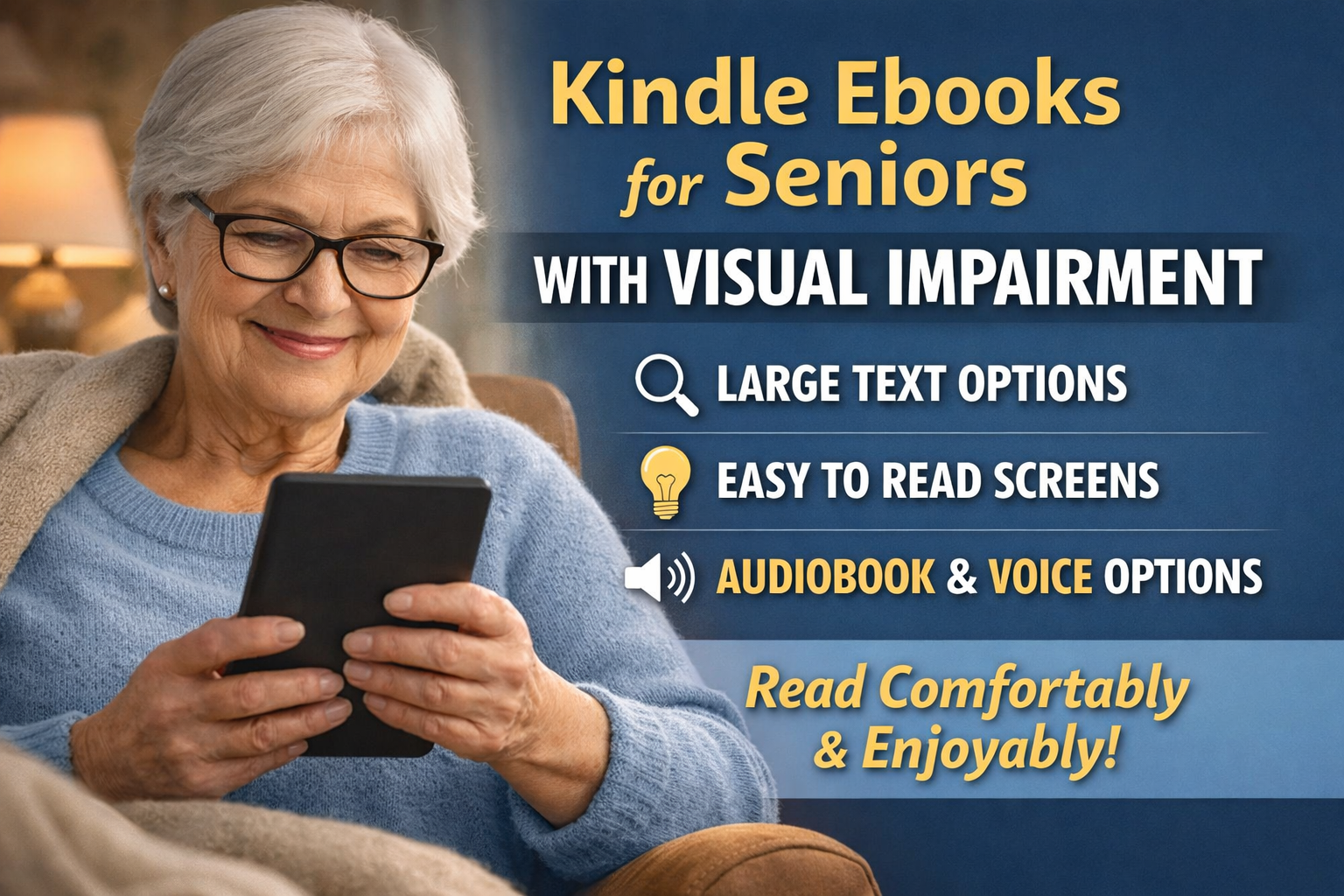
Kindle ebooks for seniors with visual impairment is an important topic often overlooked. We are going to address visual impairment in this guide for those of you who suffer from this health issue.
Affiliate Disclosure
Amazon + Wealthy Affiliate + Friends
You will never find any affiliate links in any of my step-by-step guides on any of my websites, I feel that my guides are to educate you, not push products & services at you.
Affiliate Disclosure: Some of the links on this website may be affiliate links. This means that if you click a link and make a purchase, I may earn a small commission at no extra cost to you. These commissions help support 65 Plus Life and Boomer Biz HQ so I can continue creating free resources for older adults.
Amazon Disclosure: As an Amazon Associate, I earn from qualifying purchases. Any Amazon links used throughout this website may earn a commission when you purchase through them.
Wealthy Affiliate Disclosure: I am also a proud affiliate of Wealthy Affiliate. If you choose to join their platform through my referral link, I may earn a commission. I only recommend Wealthy Affiliate because it has personally helped me build websites and create income online, and I believe it can help other older adults learn these skills too.
Thank you for supporting my work — it truly means a lot
Jeff/ 65 Plus Life
Browse Jeffs Kindle eBooks For Seniors
Kindle Ebooks for Seniors With Visual Impairment
A Comfortable, Flexible Way to Keep Reading
Reading shouldn’t become harder just because our eyes change with age. Many seniors experience visual challenges such as reduced contrast sensitivity, macular degeneration, glaucoma, or general eye strain—but that doesn’t mean giving up the joy of books.
Kindle ebooks offer powerful accessibility features that make reading more comfortable, customizable, and enjoyable for seniors with visual impairment. In this guide, we’ll walk through how Kindle can help, how to adjust settings step by step, and what options work best for different vision needs.
Why Kindle Ebooks Are a Great Option for Seniors With Vision Changes
Unlike traditional printed books, Kindle ebooks allow you to control how text appears on the screen. This flexibility can make a huge difference for aging eyes.
Key benefits include:
- Adjustable font size (very large text options)
- High-contrast reading modes
- Customizable font styles designed for readability
- Built-in screen lighting (no glare from lamps)
- Ability to read on Kindle devices, tablets, or phones
- Optional text-to-speech and audiobook support (on many titles)
For many seniors, Kindle restores the comfort and independence of reading at their own pace.
Step-by-Step: How to Set Up Kindle for Visual Comfort
You don’t need to be tech-savvy to make Kindle work for your eyes. Here’s a simple walkthrough:
Step 1: Open Any Kindle Ebook
Tap the center of the screen to bring up the menu.
Step 2: Adjust Font Size
- Tap “Aa” (Text Settings)
- Move the slider to increase text size
Don’t be shy—large text is easier on the eyes and reduces fatigue.
Step 3: Choose a Readable Font
Recommended fonts for visual impairment:
- OpenDyslexic
- Bookerly
- Arial
These fonts offer clearer spacing and letter shapes.
Step 4: Increase Line Spacing & Margins
- Choose wider line spacing
- Increase margins to avoid crowded text
This helps with tracking lines and reduces eye strain.
Step 5: Switch Background & Contrast
Try:
- Black background with white text
- Sepia (warm tone) background
- Dark Mode (especially helpful at night)
Many seniors find dark mode easier on sensitive eyes.
Using Text-to-Speech & Audiobooks
For days when reading feels tiring, Kindle offers listening options:
- Text-to-Speech (on supported devices and books)
- Audible audiobooks that sync with Kindle ebooks
- Whispersync lets you switch between reading and listening without losing your place
This flexibility is especially helpful for seniors with fluctuating vision.
Best Kindle Devices for Seniors With Visual Impairment
If your readers ask which device is easiest to use, here’s a simple breakdown:
Kindle Paperwhite
- Adjustable warm light
- No glare screen
- Excellent contrast
- Lightweight and easy to hold
Kindle Oasis
- Larger screen
- Physical page-turn buttons
- Adjustable warmth and brightness
Kindle Fire (Tablet)
- Brighter screen
- More features—but can be distracting
- Best for those comfortable with tablets
For most seniors, Paperwhite is the sweet spot for comfort and simplicity.
Finding Large-Print & Accessible Kindle Books
When searching Amazon:
- Type keywords like:
- “large print Kindle”
- “easy read Kindle books”
- “short chapters”
- Look for:
- Clear formatting
- Simple layouts
- High reader ratings from older adults
- Preview the ebook before buying to test font comfort
Jeffs Disclaimer?
This article is for educational purposes only. Kindle accessibility features may work differently depending on individual vision needs, devices, and book formats. Readers with serious visual impairments should consult their eye care professional for personalized guidance.
Tips From Jeff
From my own experience using Kindle, I’ve learned that there’s no “right” setting—only what feels right for your eyes. Don’t worry about how large the text looks or which mode others prefer. Adjust it until reading feels relaxed, not tiring.
Reading should be enjoyable—not a struggle.
Reading Comfortably at Any Age
Visual changes don’t have to end a lifelong love of reading. Kindle ebooks give seniors the freedom to adjust text, lighting, and format so reading remains comfortable, accessible, and enjoyable.
If you or a loved one are experiencing vision challenges, Kindle can be a powerful tool to stay connected to stories, learning, and lifelong curiosity.
Visit Jeffs Kindle Reading Resources page on 65 Plus Life to explore helpful guides, recommendations, and tips designed specifically for senior readers.
You deserve reading comfort—at every stage of life.
Recommended Kindle Ebooks for Visually Impaired Readers
Kindle’s adjustable text sizes and accessibility features like VoiceView and Assistive Reader make many ebooks easier to enjoy even with vision challenges. Here are some great picks that are easy to read on a Kindle device or app — plus genres that work well when text is enlarged:
Inspiring & Easy-to-Follow Reads
- Heart-warming novels & easy storytelling
- Great Big Beautiful Life — gentle, uplifting storytelling that’s easy to follow. Great Big Beautiful Life
- Silent Hearts — a touching story with clear narrative flow. Silent Hearts
Large-Print-Compatible Short Reads
These kinds of books are great on Kindle because they’re broken into simpler sections and work nicely when font is enlarged:
- Large Print Uplifting Stories: A Collection of Feel-Good Tales — short stories that feel relaxing at any font size. Large Print Uplifting Stories
- Large Print Short Stories for Seniors: 3 Books in 1 — bundled short stories make for fun, manageable reading sessions on Kindle. Large Print Short Stories for Seniors: 3 Books in 1
Brain-Boosting & Puzzle Books
Perfect for seniors who like to read and think, and usually display well with larger text:
- Large Print Word Search Puzzle Book — big, clear print that’s easy to see on a screen. Large Print Word Search Puzzle Book: Low Vision
Special Interest & Educational
- My Brother in the White House: Super Large Print Edition — solid history book with larger formatting. My Brother in the White House: Super Large Print Edition
Tips for Getting the Most Out of These Kindle Books
- Increase the text size and margins until it’s comfortable — Kindle lets you go way beyond typical large-print levels.
- Try the VoiceView screen reader or Assistive Reader to hear text read aloud while following along on screen.
- Preview books before buying: the Kindle Store lets you sample text so readers can test comfort at larger sizes.
Since I suffer from visual impairment I understand how frustrating this can be, that is the reason I chose this topic to help my readers who suffer just like me.
Jeff’s Story

When Reading Became a Source of Anxiety
There was a time when reading—something I had always loved—became one of the most frustrating parts of my day.
As my vision began to change, traditional printed books slowly turned from a comfort into a challenge. No matter how bright the light was or how carefully I positioned the book, the words felt cramped, blurry, and exhausting to focus on. I found myself rereading the same line over and over, losing my place, and feeling tense instead of relaxed.
Reading Caused Me Anxiety
What surprised me most wasn’t just the difficulty—it was the anxiety that came with it.
I started worrying before I even opened a book.
Would my eyes cooperate today?
Would I get a headache?
Would I feel frustrated again and give up halfway through a page?
That anxiety made reading feel impossible. I stopped picking up books altogether, not because I didn’t want to read—but because I was afraid of how difficult it had become.
It was an emotional loss. Reading had always been my quiet space, my learning time, my way to unwind. Suddenly, it felt like something I was being pushed away from.
Kindle Allowed Me To Read Again
Discovering Kindle changed that for me—not overnight, but gently.
Being able to increase the font size, adjust spacing, and control contrast gave me back a sense of calm. For the first time in a long while, I could read without straining, without fear, and without that knot of anxiety in my chest.
Some days, when my eyes are tired, I’ll switch to listening instead of reading—and that flexibility has been a gift I didn’t know I needed.
If you’re feeling frustrated, anxious, or even a little emotional about changes in your vision, please know this: you’re not alone, and nothing is “wrong” with you. Our eyes change, just like everything else—and adapting doesn’t mean giving up. It means finding new ways forward.
Reading should feel comforting again. And for me, Kindle helped make that possible.
If You’re Feeling This Way…
If reading has started to feel frustrating, tiring, or even anxiety-producing, please know this is very common as our vision changes with age. It does not mean you’re doing anything wrong—and it does not mean you have to give up reading.
You Are Not Alone
Many seniors experience the same mix of emotions: frustration, worry, and sadness over something they once loved. The good news is that today’s reading tools allow you to adjust text size, spacing, contrast, and even switch to listening when your eyes need a break.
Take things at your own pace. Experiment with what feels comfortable. And most importantly, be kind to yourself—your love of reading is still there, and there are ways to enjoy it again.
Keep Reading Comfortably
If changes in your vision have made reading feel difficult or discouraging, please remember that you don’t have to figure this out alone. Small adjustments and the right tools can make a meaningful difference.
You Are Invited
I invite you to browse our Kindle Reading Resources page here on 65 Plus Life, where I’ve gathered simple guides, accessibility tips, and carefully chosen recommendations designed specifically for senior readers.
Take your time, explore what feels right for you, and know that reading comfort and enjoyment are still very much within reach—at your own pace, on your own terms.
Thank you for reading ” Kindle eBooks for Seniors with Visual Impairment”,
Jeff/ 65 Plus Life
- What Are The Best Stratgies For Kindle Publishing IncomeWhat are the best strategies for Kindle Publishing income? That is what you will learn by reading my step-by-step guide, this is easier than many seniors realize to supplement their social security. With the high prices many of you might be struggling, this could be the answer you have been praying for. Affiliate Disclosure Amazon … Read more
- Excellent Hobbies To Start In Retirement RevealedHobbies to start in retirement can be an adventure for many of you. I am going to helpl you get started with some of the best hobbies for retired adults. When we retire we must fill that void somewhere, so instead of sitting around being bored why not start a new hobby. Affiliate Disclosure Amazon … Read more
- Best Creative Hobbies For RetireesCreative hobbies for retirees is for those of you who recently retired. Join me on an adventure exploring new hobbies especially for older adults. Now is the time to explore new adventures being retired, let us see what creative hobby you might choose. Affiliate Disclosure Amazon + Wealthy Affiliate + Friends Affiliate Disclosure: Some of … Read more
- How Seniors Can Grow Their Pinterest AudienceHow seniors can grow their Pinterest audience for their retirement income. Pinterest is another platform awesome for traffic to your website, anyone with an online business should learn how to grow an audience on this platform for success. Affiliate Disclosure Amazon + Wealthy Affiliate + Friends Affiliate Disclosure: Some of the links on this website … Read more
- How Seniors Can Use Social Media Safely And SuccessfulHow seniors can use social media safely is an important topic to know about. That is the reason I decided to write an article in hopes in helping older adults. Even seniors are using the internet today, so knowing how for them to remain safe is important to me. Affiliate Disclosure Amazon + Wealthy Affiliate … Read more
This is such an important and written guide. Visual impairment affects so many seniors, yet practical reading solutions are rarely explained this clearly. I really appreciate how you walk readers through Kindle’s accessibility features step by step, without tech overwhelm. The focus on adjustable fonts, contrast, spacing, and text-to-speech shows a deep understanding of real-world vision challenges. Sharing personal experience makes the message even more powerful, reassuring readers they’re not alone. Kindle devices can truly restore independence and confidence for people who feared losing reading forever. Your affiliate disclosure also builds trust and keeps the focus on education, not selling. Resources like this help seniors continue learning, relaxing, and staying mentally engaged at any age. Thank you for advocating for accessible reading and creating content that genuinely supports the Life community so well.
Thank you Andrejs
Education is the focus on my website and guides for older adults. That is why I don’t include any affiliate links in any of my guides.
Jeff